


Friday, January 23, 2026

THIS IS THE TRICK OF HOW TO SHARE ONE MESSAGE TO MORE THAN 245 GROUPS AND CONTACTS ON GBWhatsApp BY A SINGLE CLICK.

If you want to share in more than 245 groups and contacts your message at time, here is the steps to follow from the GBWhatsApp then share everything you want in a single click !!

Step 1. Go to your apps and Open GBWhatsApp
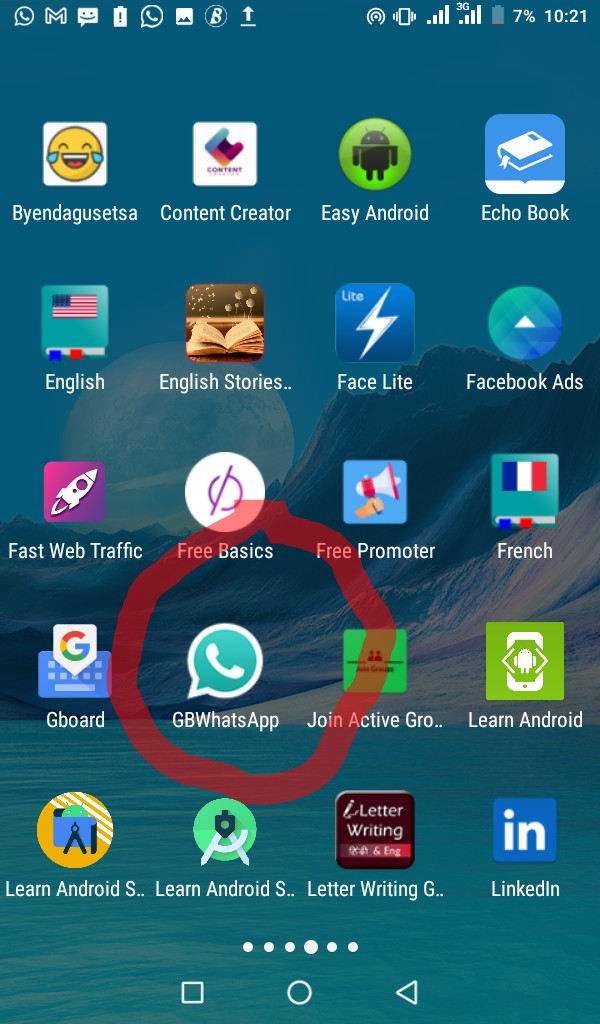
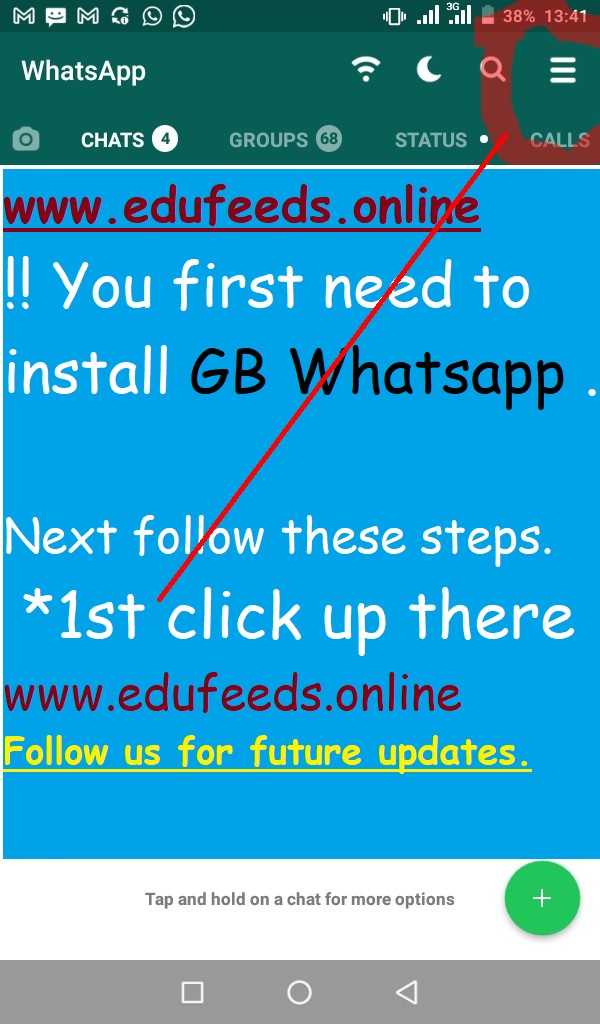
Step 2. Click on the three buttons tagged up in the corner.
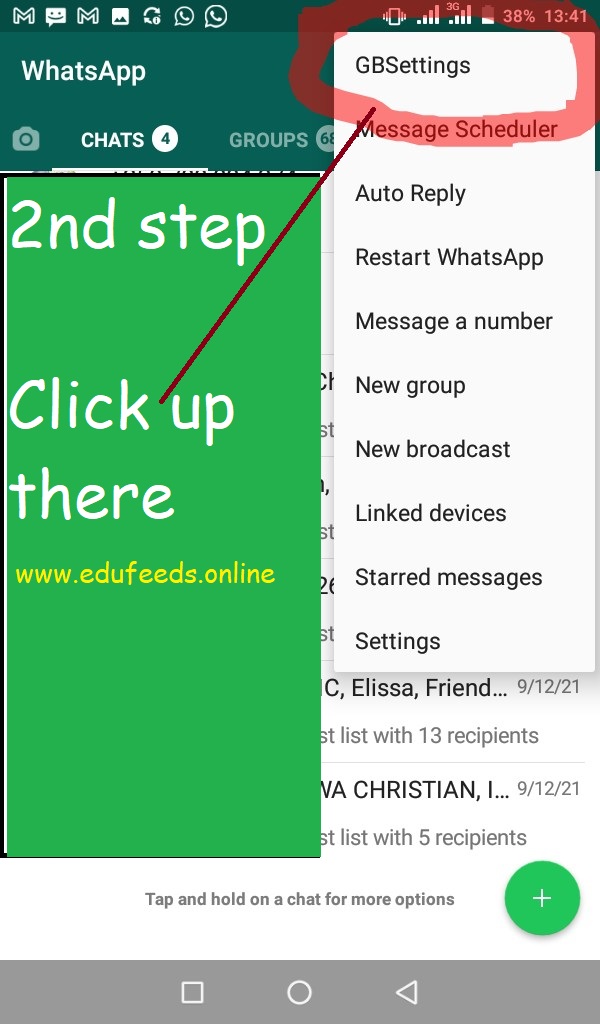
Step 3. Go to GBSettings.
Step 4. Click on Universal
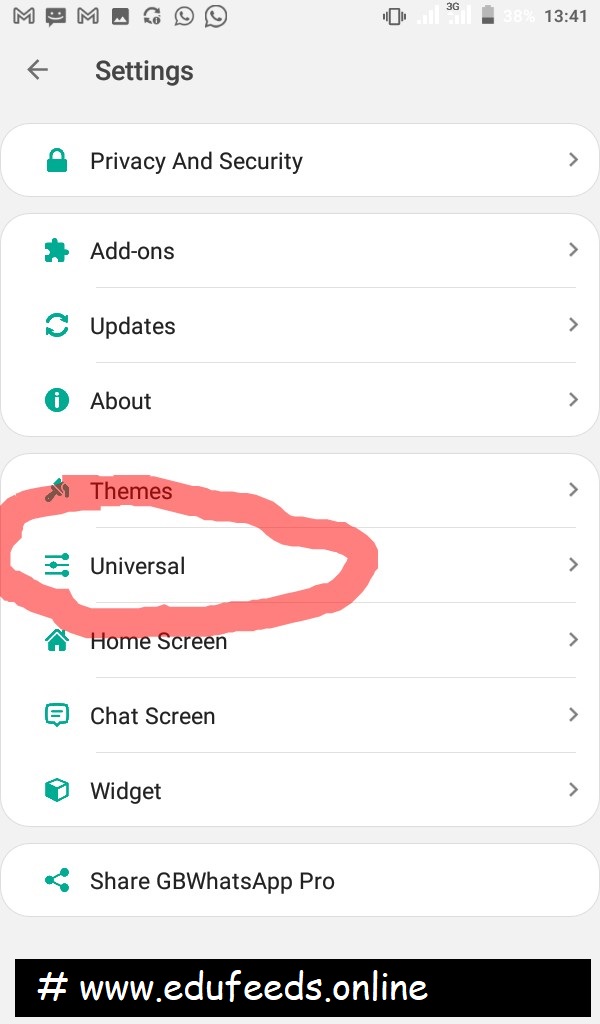
Step 5. Click on Settings
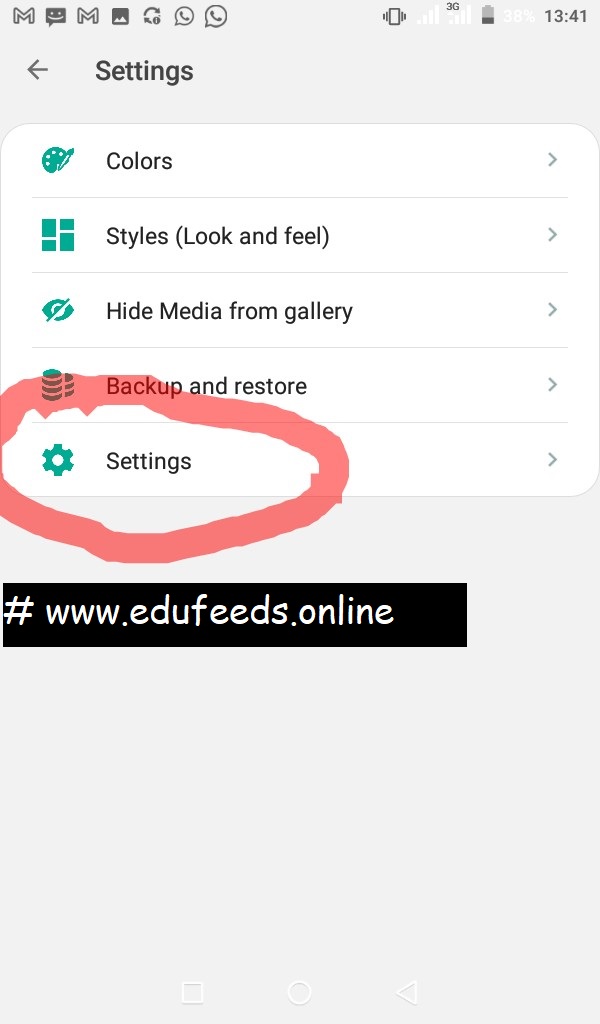
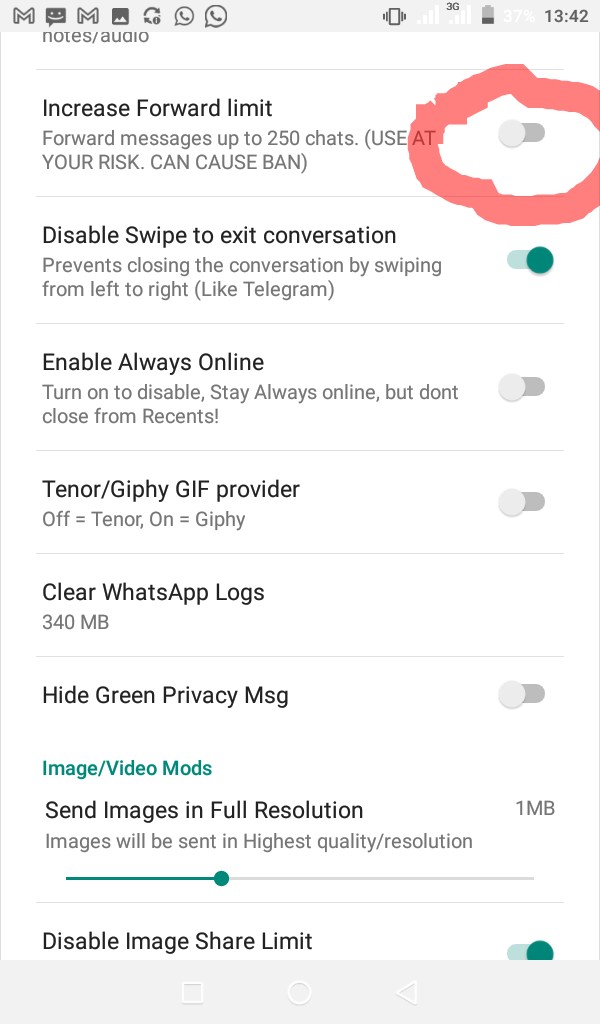
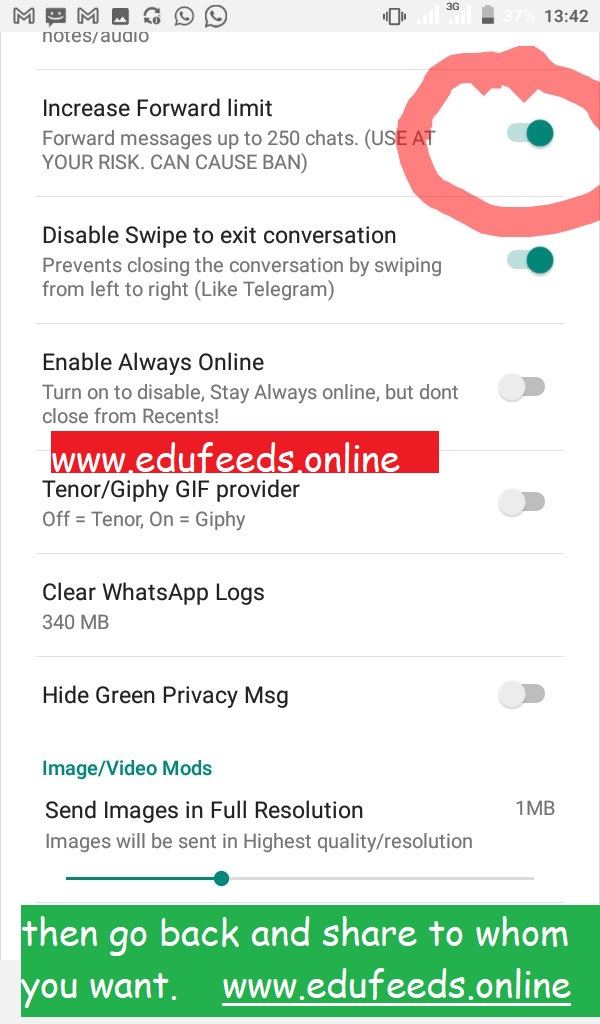
Step 6. Activate Increase Forward Limit
Step 7. Go back and start sharing however you want. Thank you so much.
Loading

Related Articles

1 COMMENT

LEAVE A REPLY

Please enter your comment!
Please enter your name here

[td_block_social_counter facebook="tagdiv" twitter="tagdivofficial" youtube="tagdiv" style="style8 td-social-boxed td-social-font-icons" tdc_css="eyJhbGwiOnsibWFyZ2luLWJvdHRvbSI6IjM4IiwiZGlzcGxheSI6IiJ9LCJwb3J0cmFpdCI6eyJtYXJnaW4tYm90dG9tIjoiMzAiLCJkaXNwbGF5IjoiIn0sInBvcnRyYWl0X21heF93aWR0aCI6MTAxOCwicG9ydHJhaXRfbWluX3dpZHRoIjo3Njh9" custom_title="Stay Connected" block_template_id="td_block_template_8" f_header_font_family="712" f_header_font_transform="uppercase" f_header_font_weight="500" f_header_font_size="17" border_color="#dd3333"]
- Advertisement -spot_img

Latest Articles